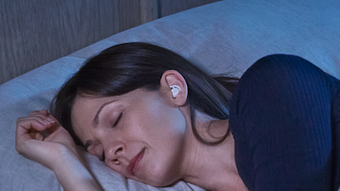

Download Bose Sleep APK – sleep app, noise-masking sounds, sleepbuds ii, relaxation sounds, sleep improvement
Overview
The Bose Sleep app is a free companion application designed exclusively for use with Bose Sleepbuds™ II and Bose noise-masking sleepbuds™. It serves as the central control hub for these wearable sleep aids, enabling users to customize and manage their sleep experience. The app is tailored for individuals seeking to improve sleep quality by reducing environmental disturbances through carefully curated soundscapes.
It supports a range of real-world usage scenarios, including falling asleep faster, staying asleep longer, and creating personalized nighttime routines. The app is specifically built for Android users and is categorized under Lifestyle, Health & Fitness, indicating its focus on wellness and daily habits. Bose Corporation, the developer, is known for its expertise in audio technology, which informs the app’s design and functionality.
While the app does not support other audio devices or standalone use, its integration with Bose Sleepbuds™ is seamless and essential for full feature access. The app’s interface is optimized for low-light use, making it easy to adjust settings without disrupting sleep routines.
Key Features & Capabilities
- Sound Library Access – Users can browse and download a variety of noise-masking and relaxation sounds, such as white noise, nature sounds, and ambient tones, to create a calming sleep environment.
- Personalized Sleep Routines – The app allows users to schedule and customize sound playback, adjust volume levels, and set sleep timers to match individual preferences.
- Phone-free Mode – This feature enables the Sleepbuds™ to operate independently after pairing, reducing screen time and minimizing disruptions during bedtime.
- Alarm Customization – Users can set personal alarms with gentle wake-up sounds, ensuring a more natural and stress-free morning transition.
- Device Management – The app provides access to firmware updates and settings for the Sleepbuds™, ensuring optimal performance and compatibility.
These features are designed to support users in establishing consistent sleep habits. For example, a user struggling with nighttime awakenings can select a continuous sound loop to mask sudden noises. Similarly, someone with a busy mind before bed can use guided relaxation tracks to promote mental calm. The app’s ability to sync with the Sleepbuds™ ensures that settings are applied directly to the device, enhancing the overall effectiveness of the sleep experience.
User Interface, Workflow & Performance
The Bose Sleep app features a clean, intuitive interface that prioritizes ease of use, especially during nighttime routines. Navigation is straightforward, with clearly labeled sections for sound selection, settings, and device management. The app is optimized for use in low-light environments, with high-contrast visuals and minimal on-screen distractions.
Users can quickly access their favorite sounds and adjust playback settings with minimal taps. The workflow is designed around simplicity—pairing the Sleepbuds™, selecting a sound, and starting playback can be completed in under a minute. Performance details were not specified by the developer, but the app functions smoothly within the Android ecosystem.
The developer did not provide additional system requirements or resource usage metrics. General software behavior patterns suggest stable operation, though performance may vary based on device hardware and Android version. No reported issues with crashes or lag were mentioned in the official release notes.
Compatibility & System Requirements
The Bose Sleep app is compatible with Android devices and is available through official app distribution channels. The current version is 1.2.1, with a file size of 58.5 MB. The developer did not specify exact system requirements, including minimum Android version or hardware specifications.
Compatibility information was partially provided, indicating support for Android but not detailing specific OS versions or device types. Users are advised to ensure their device meets general Android compatibility standards. The app does not support iOS or other platforms.
Installation is straightforward, and the app functions as a companion to Bose Sleepbuds™ II and Bose noise-masking sleepbuds™. No additional software or hardware is required beyond the supported earbuds and a compatible Android device.
Pros and Cons
Pros
- Free to download and use with no in-app purchases
- Intuitive interface designed for nighttime use
- Extensive library of relaxation and noise-masking sounds
- Seamless integration with Bose Sleepbuds™ II and noise-masking sleepbuds™
- Phone-free Mode enhances sleep hygiene by reducing screen exposure
Cons
- Exclusive to Bose Sleepbuds™ – not usable with other audio devices
- Only available on Android, limiting access for iOS users
- No information on system requirements or resource usage
- Requires a compatible Bose earbud to function
- Limited to one platform, reducing overall accessibility
FAQ Section
Is the Bose Sleep app compatible with iOS devices?
The Bose Sleep app is currently available only for Android devices. There is no official iOS version at this time.
Can I use the Bose Sleep app without Bose Sleepbuds™?
No. The app is designed exclusively as a companion for Bose Sleepbuds™ II and Bose noise-masking sleepbuds™. It does not function independently or with other audio devices.
Is the app safe to use and secure?
The app is developed by Bose Corporation and distributed through official Android channels. It does not collect personal data beyond what is necessary for device pairing and functionality.
How often are updates released?
Updates are released periodically to improve performance, add new sounds, and ensure compatibility with the Sleepbuds™. Users are encouraged to keep the app updated.
Does the app require an internet connection?
Basic functionality, such as playing stored sounds, does not require an internet connection. However, downloading new sounds or updating firmware requires an active connection.
Final Thoughts + CTA
The Bose Sleep app delivers a focused, user-friendly experience tailored to improving sleep quality through sound masking and relaxation. Its seamless integration with Bose Sleepbuds™ II and noise-masking sleepbuds™ makes it a valuable tool for individuals seeking better sleep hygiene. While its platform exclusivity to Android and dependency on specific hardware limit its accessibility, the app excels in its niche.
The clean interface, extensive sound library, and Phone-free Mode enhance usability and promote healthier bedtime habits. For users invested in Bose’s sleep technology, the app is essential. If you’re looking to improve your sleep with a reliable, intuitive tool, this app is a strong choice.
Download Bose Sleep APK now and take the first step toward a more restful night.







